

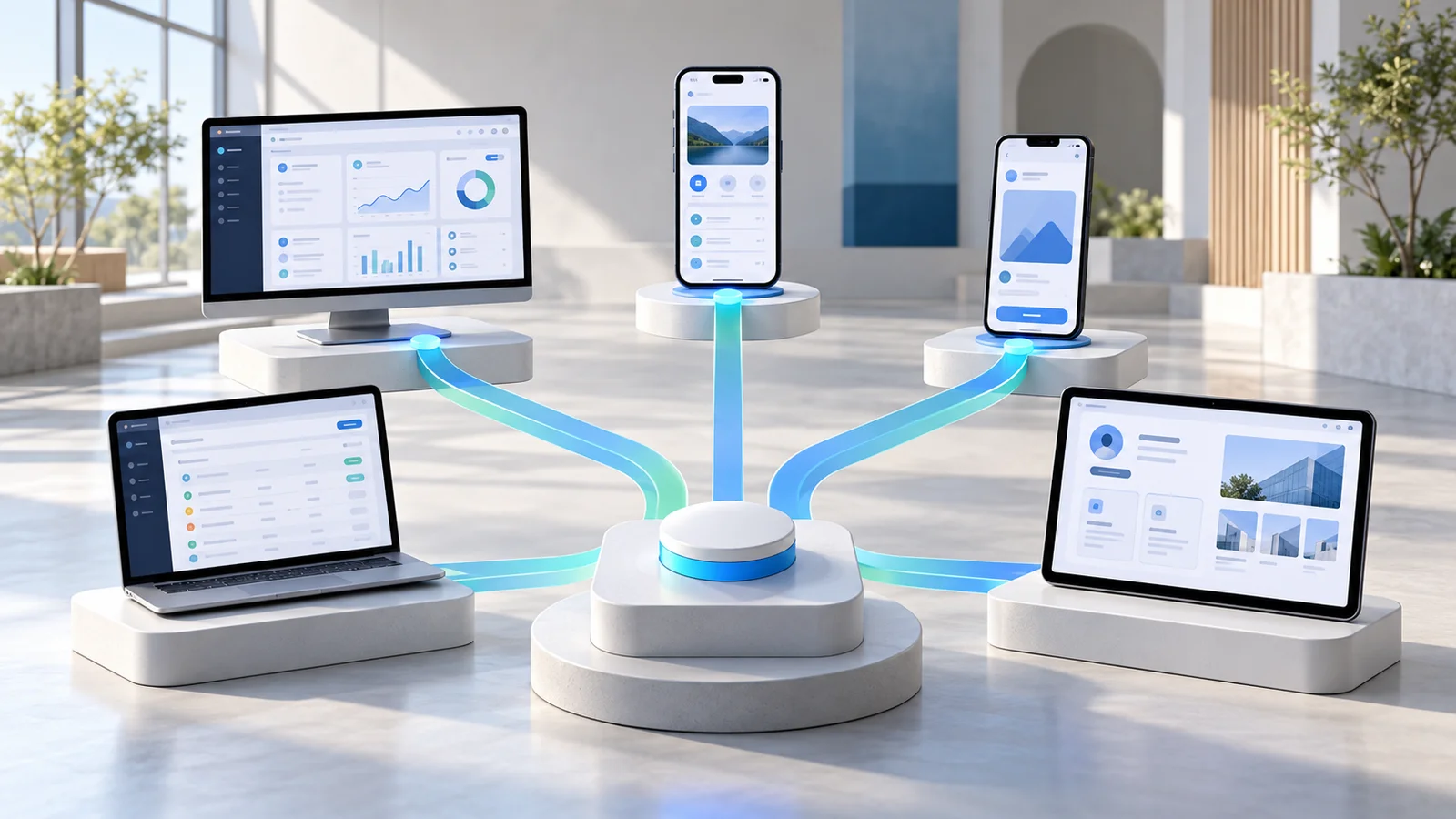
Bubble remains one of the most capable visual app builders available. It combines UI design, workflows, a database, APIs, hosting, and, as of 2026, native iOS and Android development alongside web apps. Its native mobile editor is currently in beta.
But being powerful does not make it the right platform for every project.
A startup building a native mobile app may care more about exportable Flutter code. A product team may want to keep its existing Supabase or Xano backend. An operations team may simply need an internal app on top of a spreadsheet or SQL database. A service business might want a secure client portal without learning a complex visual programming environment.
Those requirements point to very different Bubble alternatives.
The five platforms below are not ranked because they are universally “better” than Bubble. Each one solves a particular type of app-development problem more effectively.
Best Bubble Alternatives at a Glance
| Platform | Best For | Web Apps | Native Mobile | Built-in Backend | Code Export |
|---|---|---|---|---|---|
| WeWeb | Flexible SaaS and production web apps | Yes | No | Yes, or external | Yes |
| FlutterFlow | Native iOS and Android apps | Yes | Yes | External services | Yes |
| Adalo | Easier native mobile app building | Yes | Yes | Yes | No |
| Glide | Internal tools and operational apps | Yes/PWA | No | Yes + external data | No |
| Softr | Client portals and business tools | Yes/PWA | No native store app | Yes + external data | No |
1. WeWeb
Best Bubble alternative for: Flexible web apps, SaaS products, and teams that want more infrastructure control
WeWeb is one of the closest alternatives to Bubble for teams building substantial web applications.
It provides a visual full-stack development environment with an AI assistant, pixel-level frontend controls, workflows, a native backend, and support for external backend services. Unlike tools that are primarily designed around templates or spreadsheets, WeWeb is built for custom applications such as SaaS products, dashboards, portals, and internal platforms.
The biggest reason to consider WeWeb is architectural flexibility.
You can use WeWeb's own backend or connect the frontend to services such as Xano, Supabase, REST APIs, and other data sources. Its Xano integration, for example, allows WeWeb interfaces to retrieve information directly from Xano endpoints while the data continues to live in Xano.
Where WeWeb differs from Bubble
Bubble's appeal comes partly from keeping the application inside one managed ecosystem.
WeWeb gives teams more freedom to separate the frontend from the backend.
That becomes useful when:
- your company already has a backend,
- data needs to stay in existing infrastructure,
- your product team prefers Supabase or Xano,
- you want greater flexibility around future architecture,
- developers may eventually take over parts of the application.
WeWeb also supports exporting applications and self-hosting them. Its documentation includes deployment guidance for hosting exported apps on services such as Cloudflare instead of relying exclusively on WeWeb hosting. The Cloudflare guide covers the interface; any backend, database, storage, and authentication services need their own hosting setup.
A practical example
Suppose you are building a B2B SaaS application with:
- customer accounts,
- dashboards,
- subscription management,
- complex permissions,
- a PostgreSQL database,
- several external APIs.
Bubble could manage most of this inside one platform.
With WeWeb, you could instead use WeWeb for the interface, Supabase for PostgreSQL and authentication, and specialized APIs for the rest of the product.
The second architecture introduces additional services, but it gives your team more control over each layer.
WeWeb strengths
WeWeb is particularly strong for:
- SaaS applications,
- customer dashboards,
- admin systems,
- client portals,
- marketplace frontends,
- data-heavy web apps,
- applications using an existing backend.
Its visual editor provides more control than template-first tools while still allowing nontraditional development workflows.
Where WeWeb may not be the right choice
WeWeb is focused on web applications.
If your primary goal is a native consumer application distributed through Apple's App Store and Google Play, FlutterFlow or Adalo is a more natural fit.
It can also be unnecessarily sophisticated for a basic internal directory, tracker, or portal that could be created much faster in Glide or Softr.
Choose WeWeb if: You want Bubble-level ambitions for a web application but place a high value on backend freedom, self-hosting, and code ownership.
2. FlutterFlow
Best Bubble alternative for: Native mobile apps and teams that want exportable source code
FlutterFlow should be near the top of the list when the product is fundamentally a mobile application.
It is a visual development platform built around Flutter. A FlutterFlow project represents a complete Flutter application, and the generated code can run independently after export rather than requiring FlutterFlow to remain part of the production runtime.
The platform supports direct deployment to Apple's App Store and provides tools for building iOS and Android applications visually.
The main reason to choose FlutterFlow: code ownership
FlutterFlow allows users on eligible paid plans to download the generated Flutter project.
You can export the code as a project, work on it locally, connect it to GitHub, or modify the Dart code using conventional development tools. FlutterFlow also provides CLI and VS Code workflows for downloading and working with projects.
That creates an attractive path for startups.
You might begin with a small visual-development team, launch an MVP, validate the product, and later hire Flutter developers who can work directly with the codebase.
Backend options
FlutterFlow is not an all-in-one platform in exactly the same sense as Bubble.
It commonly connects to external backend services.
FlutterFlow has direct support for Supabase, including database integration and authentication, and also supports Firebase and custom authentication approaches.
That gives developers more architectural choice, but it also means beginners may need to understand more moving pieces.
When FlutterFlow is better than Bubble
Bubble now offers native mobile development, so the old advice that “Bubble is for web and FlutterFlow is for mobile” is too simplistic in 2026. Bubble's native apps use React Native and can share backend data and workflows with a Bubble web application.
FlutterFlow still has an important advantage when exportable application code is a requirement.
Consider it when you need:
- native mobile as the main product,
- direct access to Flutter/Dart code,
- developer handoff later,
- Firebase or Supabase,
- deeper conventional-development integration,
- the ability to continue development outside the visual builder.
Example use cases
FlutterFlow is well suited to:
- fitness apps,
- delivery apps,
- social applications,
- consumer marketplaces,
- booking applications,
- membership products,
- mobile fintech interfaces,
- apps requiring push notifications and device capabilities.
What to consider before choosing it
Code export does not automatically mean maintaining exported code will be simple.
Once developers heavily modify an exported application outside the visual environment, teams need a clear process for managing the relationship between visual development and custom development.
Flutter itself also introduces concepts that less technical founders may need time to understand.
Choose FlutterFlow if: Native mobile quality and an exportable Flutter codebase matter more than having every part of your application managed inside one no-code environment.
3. Adalo
Best Bubble alternative for: Founders who want an easier route to native iOS and Android apps
FlutterFlow offers substantial technical flexibility, but not every founder needs it.
Adalo is a more approachable option for people who want to create a database-driven mobile application and publish it to app stores without managing a conventional mobile-development stack.
Adalo supports native iOS, native Android, and web applications from a single project. Its current platform includes a hosted database and AI-assisted app generation alongside its visual multi-screen editor.
Its iOS output is compiled into native IPA builds, while Android applications can be produced as AAB builds for Google Play.
Why choose Adalo instead of Bubble?
Ease of use is the main reason.
Bubble provides more sophisticated visual programming capabilities, but that flexibility creates a significant learning curve.
Adalo is better suited to applications with straightforward logic where getting a polished mobile product into users' hands matters more than creating a deeply customized backend.
Typical examples include:
- directories,
- membership apps,
- booking systems,
- communities,
- basic marketplaces,
- fitness apps,
- event applications,
- customer loyalty apps.
Built-in database
Unlike FlutterFlow, Adalo includes its own database.
Users can create collections, relationships, fields, and records inside the platform. AI-assisted features can also help establish an initial database structure.
This simplifies the experience for a nontechnical founder because there is no immediate need to configure Firebase or Supabase.
External integrations are possible
An Adalo project does not have to remain completely isolated.
External Collections can connect the application to APIs and allow external records to behave similarly to standard Adalo collections. Custom Actions can also trigger external REST API operations or webhooks.
That means an application can start simply and integrate other services later.
Where Adalo fits best
Imagine you are launching an appointment marketplace for personal trainers.
You need:
- user profiles,
- trainer profiles,
- bookings,
- favorites,
- search,
- payments,
- notifications,
- iOS and Android distribution.
Adalo provides a relatively direct path to that kind of first product.
If the platform later requires highly complex backend calculations, unusual infrastructure, or deep developer control, you may eventually reach a point where a more technical architecture makes sense.
Adalo vs. FlutterFlow
Choose Adalo when simplicity is the priority.
Choose FlutterFlow when technical flexibility and code ownership are priorities.
Both can produce native mobile applications, but the development philosophies are different.
Choose Adalo if: You are a nontechnical founder or small team that wants to launch a straightforward native mobile app without assembling a separate backend stack.
4. Glide
Best Bubble alternative for: Internal tools, field apps, dashboards, and operational software
Glide is not the best Bubble replacement for a complex consumer SaaS platform.
That is exactly why it belongs on this list.
Many businesses consider Bubble for applications that simply do not require Bubble's level of complexity.
A company might need:
- an inventory tracker,
- a field-sales tool,
- an inspection app,
- a CRM,
- an employee directory,
- an order-management interface,
- a project tracker.
Glide is designed particularly well for this category.
Build directly on business data
Glide can work with its own tables as well as external sources including Google Sheets, Airtable, Excel, BigQuery, PostgreSQL, MySQL, SQL Server, and Google Cloud SQL, with availability depending on the plan and connector.
This is valuable when the company's data already exists.
Instead of rebuilding an entire application architecture, the organization can place a tailored interface and workflows on top of information employees already use.
More than a spreadsheet wrapper
Glide is sometimes still described as simply a tool that turns spreadsheets into apps.
That description is increasingly incomplete.
Glide now supports workflow automation with triggers, conditional logic, loops, computations, and multi-step processes.
It also offers role and row-level mechanisms for controlling which users can access particular information.
Example
A wholesaler may currently operate from:
- an Excel product list,
- a customer database,
- manual order forms,
- email,
- a shared inventory sheet.
Instead of developing an entirely new SaaS platform, Glide could provide field representatives with one app for:
- finding customers,
- checking products,
- submitting orders,
- viewing inventory,
- recording visits.
This is where Glide can be much more efficient than a general-purpose app builder.
The important limitation
Glide applications are web/PWA-oriented rather than native App Store and Google Play applications. Bubble's own 2026 comparison also categorizes Glide as a PWA platform rather than a native mobile builder.
If public app-store distribution is a core product requirement, choose another option.
But for employees, contractors, customers, and partners accessing a business application through a browser or installable PWA, that limitation may not matter.
Choose Glide if: Your primary objective is turning existing business data and repetitive processes into a useful internal or operational application quickly.
5. Softr
Best Bubble alternative for: Client portals, member areas, intranets, and business-facing applications
Softr is another case where simpler can be better.
It focuses strongly on secure business applications such as:
- client portals,
- vendor portals,
- employee portals,
- intranets,
- dashboards,
- CRMs,
- inventory tools,
- knowledge bases.
Softr provides a built-in database, visual application builder, workflows, authentication, user groups, and permissions. It can also connect to external systems instead of requiring businesses to migrate everything into a new database.
Why use Softr instead of Bubble?
Imagine an accounting firm needs a portal where every client can:
- log in,
- see their projects,
- download files,
- upload documents,
- view invoices,
- submit requests.
Bubble could certainly build it.
But building the user management, access rules, layouts, forms, dashboards, and file views would require more configuration.
Softr is purpose-built around this type of application.
Its portal features include user groups, granular permissions, connected business data, and mobile-friendly PWA functionality.
Data flexibility
Softr can use its native database or work with external information sources.
Its current integrations include systems such as Airtable, Google Sheets, Notion, HubSpot, SQL databases, Supabase, and REST APIs.
Softr also supports Xano as a backend, allowing businesses to keep data and business logic in Xano while using Softr for the application interface.
Permissions are a major strength
Portals depend heavily on showing different users different information.
A customer should see their projects.
A supplier should see their orders.
An administrator may need access to everything.
Softr allows app builders to manage authentication, user groups, and permissions visually.
That makes it particularly useful for B2B applications where access control matters more than highly customized interactions.
Where Softr is less suitable
Softr's block-based approach is intentionally more opinionated than Bubble or WeWeb.
That makes common business interfaces fast to build but can become restrictive when the product needs an unusual user experience or highly specialized frontend interactions.
It also focuses on web/PWA applications rather than true native app-store development.
Choose Softr if: You need to build a secure portal or internal business application quickly and do not need the frontend freedom of a general-purpose visual programming platform.
Which Bubble Alternative Is Best for Your App?
The answer depends on what you are actually building.
Choose WeWeb for a serious web SaaS product
WeWeb is the strongest choice on this list when you want a highly customized web application while retaining greater control over backend architecture, hosting, and exported code.
It is particularly attractive for product teams already using Supabase, Xano, or custom APIs.
Choose FlutterFlow for a native mobile product
If iOS and Android are the main channels and you want the ability to export your Flutter code, FlutterFlow is the most natural choice.
It also gives a future development team a more conventional codebase to work with.
Choose Adalo for a simpler mobile MVP
If you want to publish a native mobile product without learning as much technical architecture, Adalo offers a more accessible route.
The tradeoff is a lower ceiling for highly customized technical requirements.
Choose Glide for internal business software
Do not overbuild an inventory tracker or field-sales application.
If the application's main purpose is helping employees work with business data more efficiently, Glide can get you to the useful part much faster.
Choose Softr for a portal
For a client, vendor, member, or employee portal, Softr removes much of the setup that would otherwise need to be constructed manually in Bubble.
Quick Decision Table
| If your priority is... | Start with |
|---|---|
| Custom web SaaS + backend flexibility | WeWeb |
| Native mobile + source code export | FlutterFlow |
| Easy native mobile MVP | Adalo |
| Internal tool on existing business data | Glide |
| Client or member portal | Softr |
| One highly flexible managed visual platform | Bubble |
What to Check Before Moving Away From Bubble
Choosing an alternative because its interface looks easier can create expensive problems later.
Before committing to any builder, answer several architectural questions.
Will the app be web-first or mobile-first?
This immediately eliminates some options.
WeWeb and Softr are primarily web-oriented.
Glide produces mobile-friendly web applications and PWAs.
Adalo and FlutterFlow are stronger choices when native application distribution matters.
Bubble itself now supports native iOS and Android alongside web applications, so mobile support alone is no longer a reason to dismiss it.
Where should your data live?
This is one of the most important long-term decisions.
You might prefer:
- a platform-managed database,
- Supabase,
- Firebase,
- Xano,
- an existing SQL database,
- your own API.
If your company already has substantial data infrastructure, rebuilding all of it inside an app builder may make little sense.
Do you need source code?
Most no-code founders do not actually need code export during the MVP stage.
But it can matter when:
- investors or enterprise customers require it,
- developers will eventually take over,
- you need self-hosting,
- infrastructure ownership is strategically important.
FlutterFlow and WeWeb stand out among the five alternatives here because of their export options.
How complicated are your workflows?
A contact directory and a multi-tenant SaaS platform should not be evaluated using the same criteria.
Map the important workflows before selecting a tool.
If the product requires extensive conditional logic, background processes, APIs, complex permissions, multiple data relationships, and sophisticated user experiences, test those requirements in a prototype before committing to the platform.
Who will maintain the app?
A platform is only helpful if the team can operate it after launch.
Ask whether maintenance will be handled by:
- the founder,
- an internal operations team,
- a no-code agency,
- conventional developers,
- a mixed product team.
FlutterFlow's export model may make more sense when developers are involved. Glide or Softr may be more appropriate when business users need to maintain the system themselves.
Is Bubble Still Worth Using in 2026?
Yes.
Looking for Bubble alternatives does not mean Bubble has become obsolete.
Bubble now supports web and native mobile development inside the same platform, with shared databases, APIs, and backend workflows. Its pricing uses workload units to represent the server resources an application consumes.
Bubble remains particularly compelling when you want:
- a managed full-stack environment,
- a large ecosystem,
- sophisticated visual workflows,
- custom web applications,
- web and mobile experiences sharing one backend,
- minimal infrastructure management.
The reason to choose an alternative is usually not that Bubble “cannot build” the application.
It is that another platform may align better with the project's architecture and team.