
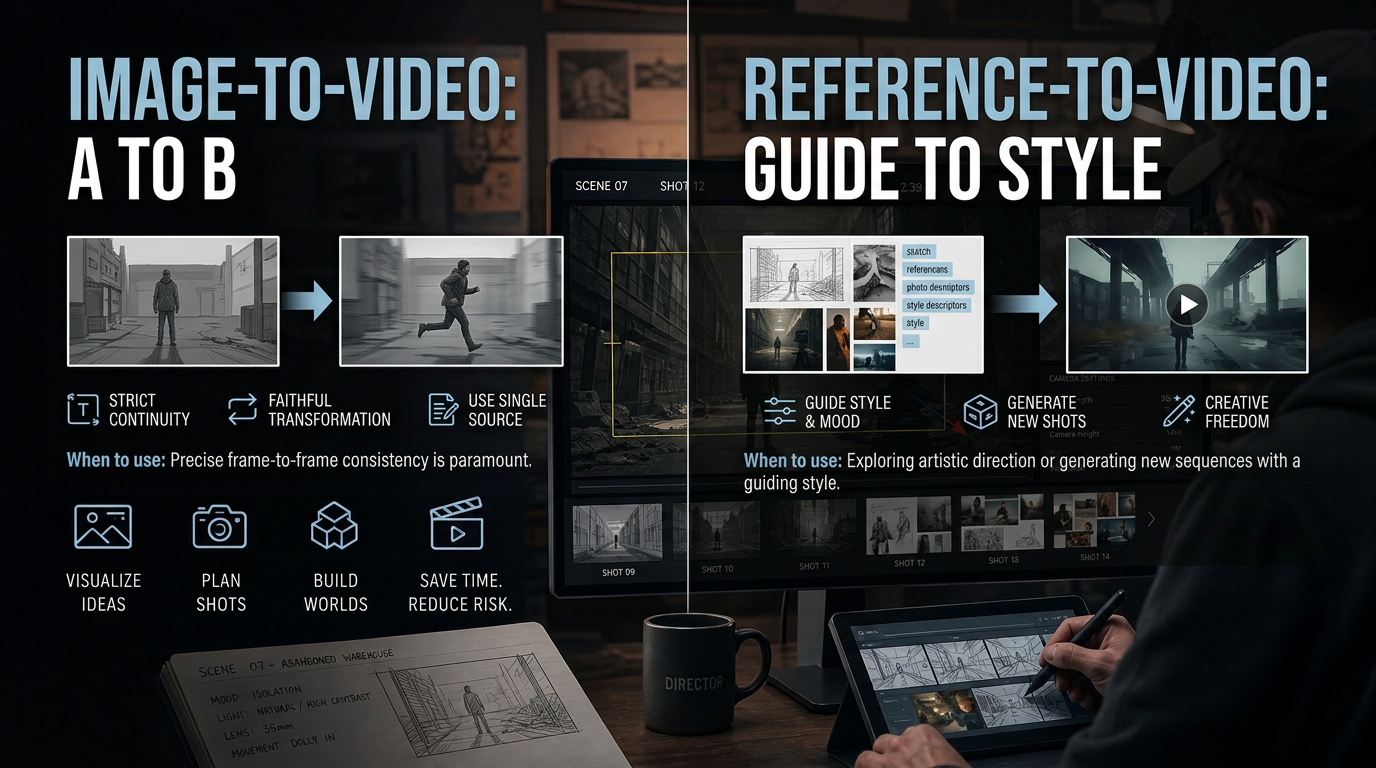
Image-to-video and reference-to-video are two different ways AI turns stills into motion, and mixing them up is one reason creators end up with footage that drifts, flickers, or loses the product’s identity halfway through a sequence. Image-to-video animates one still as the literal opening frame, producing a short clip that uses that photo as its visual guide, though details can change. Reference-to-video works differently: it can use a prior clip plus character, product, or location references to help carry a consistent identity across shots.
The distinction matters because the two techniques solve different problems. One is built for a single, self-contained clip. The other is built for continuity across a whole sequence: an ad campaign, a multi-scene story, a product line that needs to look the same in every shot.
What image-to-video actually does
Image-to-video takes one upload (a product shot, a portrait, an old family photo) and animates it based on a motion description you write: a slow zoom, a pan across the frame, a specific camera move. The model analyzes the composition of that single image and applies motion based on your prompt. Because it only ever sees that one frame, the output is guided by it and aims to preserve the lighting, framing, and details as it moves. Check the output for changes.
This is where invideo’s image to video tool is built specifically for that one-clip use case: upload a photo, describe the motion, pick a model, and export. It currently supports a range of duration ceilings depending on the model (Seedance 2.0 runs steps of 4 to 15 seconds, Veo caps near 8 seconds, Kling and Runway cap around 10), and for anything longer than a single model’s ceiling, invideo can split the script into clips and stitch them into a longer sequence.
Image-to-video is the right call when you already have an approved photo and need a short clip from it: a listing photo turned into a walkthrough, a pack shot turned into a scroll-stopping product video, a single hero image animated for a landing page.
What reference-to-video actually does
Reference-to-video can use one or more reference images (front, side, back, and a close-up can help) plus, where relevant, the prior clip in a sequence. The model uses that context to help keep a product’s packaging, a character’s face, or a location’s geometry consistent across clips, though you still need to review the results. For packaged products specifically, including one reference shot of the item held in a hand gives the model a scale cue.
This is the mechanism that can help keep a face or a product consistent through an entire agent-made film or a full ad campaign, rather than just one clip.
Why chaining start and end frames isn’t a substitute
A common workaround is chaining: generating one clip, taking its last frame as the next clip’s first frame, and repeating. This can extend a sequence when you know the next clip’s opening frame. But it can drift because chaining may only carry the last still frame. The model has to re-derive lighting, camera angle, and geometry from scratch on every new clip. Reference-to-video can reduce that reset by using additional references and, where supported, a prior clip to help carry atmosphere and identity forward.
Image-to-video vs. reference-to-video at a glance
| Image-to-video | Reference-to-video | |
|---|---|---|
| Starting point | One uploaded photo | One or more reference images; prior clip where supported |
| Output | A clip guided by the source frame | Clips with a more consistent identity across them |
| Best for | A listing photo, a hero shot, a one-off animated still | A product line, a recurring character, a full ad campaign |
| Drift risk | Details can change within a clip | References can reduce drift across clips |
| Weak point | A source frame alone may not maintain identity across clips | Needs good reference images (multiple angles) to work well |
Common mistakes when choosing between the two
A common error is reaching for image-to-video when the actual job is a campaign, not a clip: animating one product photo, then trying to chain it into five more shots and wondering why the packaging subtly changes shade by clip three. A better choice is reference-to-video, with reference images loaded up front.
The second common mistake runs the other way: using an illustrated or hand-drawn image with image-to-video and expecting it to hold the original art style. Some AI video models render in a photorealistic style by default, so an illustrated reference can drift toward neither the original style nor a clean photo. Describing the color palette, texture, and lighting explicitly in the prompt (rather than relying on the image alone) keeps the motion closer to the intended look. Real photos can drift too, so review those outputs as well.
FAQ
Can I use image-to-video for more than one clip?
Yes, through start/end frame chaining, but continuity can drift across multiple clips. For a longer sequence, reference-to-video may be the better fit since additional references can help maintain lighting and geometry.
Does reference-to-video need more than one image to work?
Not necessarily. Front, side, back, and a close-up give the model more information to help maintain identity across clips. A single reference image can work for simpler cases, but multiple angles can improve consistency.
Will my product’s scale stay accurate across clips?
For packaged products, including one reference shot of the item held in a hand can help the model read scale rather than guessing from the object alone, though you should check the result.
What should I do if my animated image doesn’t match the original art style?
This mostly affects illustrated or hand-drawn sources. Describe the palette, texture, and lighting directly in your prompt instead of relying on the image alone to carry the style.