
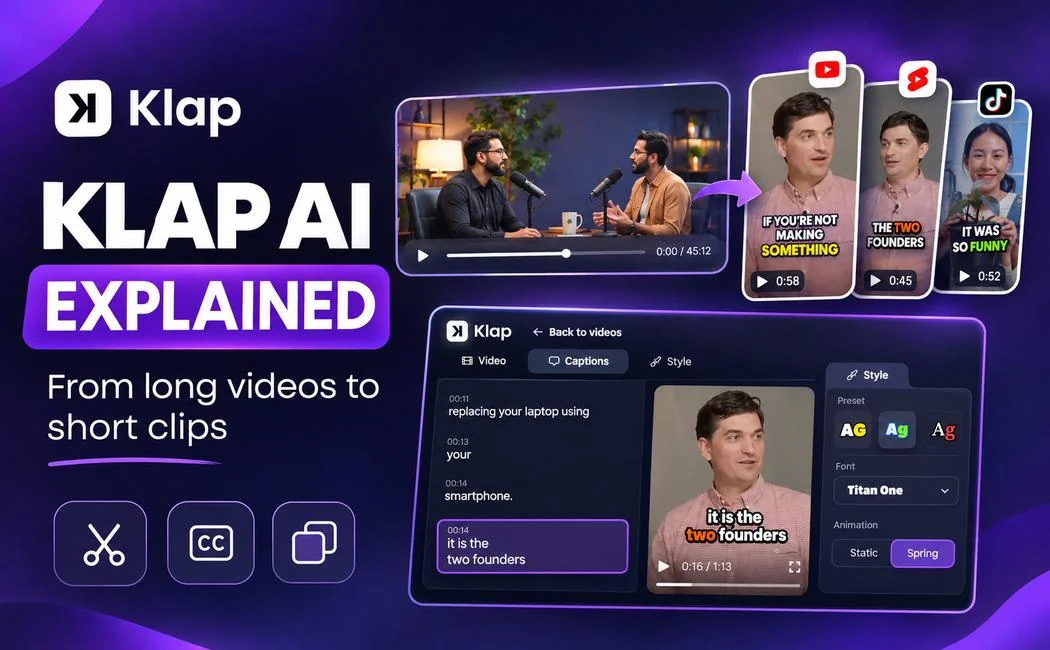
A single podcast recording may contain several useful ideas, but those moments rarely arrive with ready-made timestamps. To turn them into short videos, an editor normally has to find the right sections, cut each one, adjust the frame and add captions. That is manageable for an occasional post. It becomes a bigger job when new recordings are published every week.
Klap is one of the tools built for that repeat work. It takes an existing video and suggests shorter clips that can be edited for platforms such as YouTube Shorts, Instagram Reels and TikTok. The important question is not whether AI can create clips. It is how much of the editing process it can handle well, and where a person still needs to make the call.
What is Klap AI?
Klap AI is a browser-based video repurposing tool. It analyzes longer videos, looks for sections that may make sense on their own, and prepares those moments as short-form clips. Its features include automatic reframing, subtitles and tools for adjusting the final presentation.
It does not generate an entire video from a written prompt. You provide source footage. Klap works with that footage to create shorter edits. This difference is useful when comparing it with AI video generators that create new scenes or synthetic footage. For a wider comparison of video software, see our guide to AI video creation tools.
Klap says its system works best when a recording contains clear speech, such as an interview, tutorial, product explanation or webinar. Speech helps it identify where one idea starts and another ends. A silent montage or music-driven edit leaves the system with less information to work from.
How the video-to-shorts workflow works
The workflow has four parts: provide a source video, generate candidate clips, review the edits, and export or schedule the clips you choose. The review stage matters because a short excerpt can be technically clean and still leave out important context.

1. Add a video
Klap accepts video uploads and supported video links. Its published workflow also describes using links from services such as YouTube and cloud storage. A recording with reasonably clear audio gives the transcript and clip-selection system better material to work with.
2. Set the clip preferences
Users can select the short-form task and adjust options such as clip count, length and language. Current Klap guidance also describes a “Moments” field where users can tell the system what to look for. For a webinar, that might mean asking for self-contained tips that do not depend on a slide shown earlier.
3. Review the suggested clips
Klap identifies moments and assigns a score intended to help sort the results. The score is a selection aid, not a forecast of real views. An editor still needs to watch the beginning and ending of each clip, verify captions and check that the message makes sense outside the original recording.
4. Export or schedule
After editing, clips can be exported. Klap also offers posting and scheduling tools for supported social accounts. Which features are available to an individual user depends on the subscription and connected platforms.
Which features make the biggest difference?
AI clip selection
Clip selection is useful when a long recording contains several separate explanations. Instead of moving through the timeline and marking every possible highlight, a creator starts with suggested segments. That is still a first draft: a useful explanation may need a few seconds added to the beginning, while a promising quote may need to be dropped because it lacks context.
Automatic vertical reframing
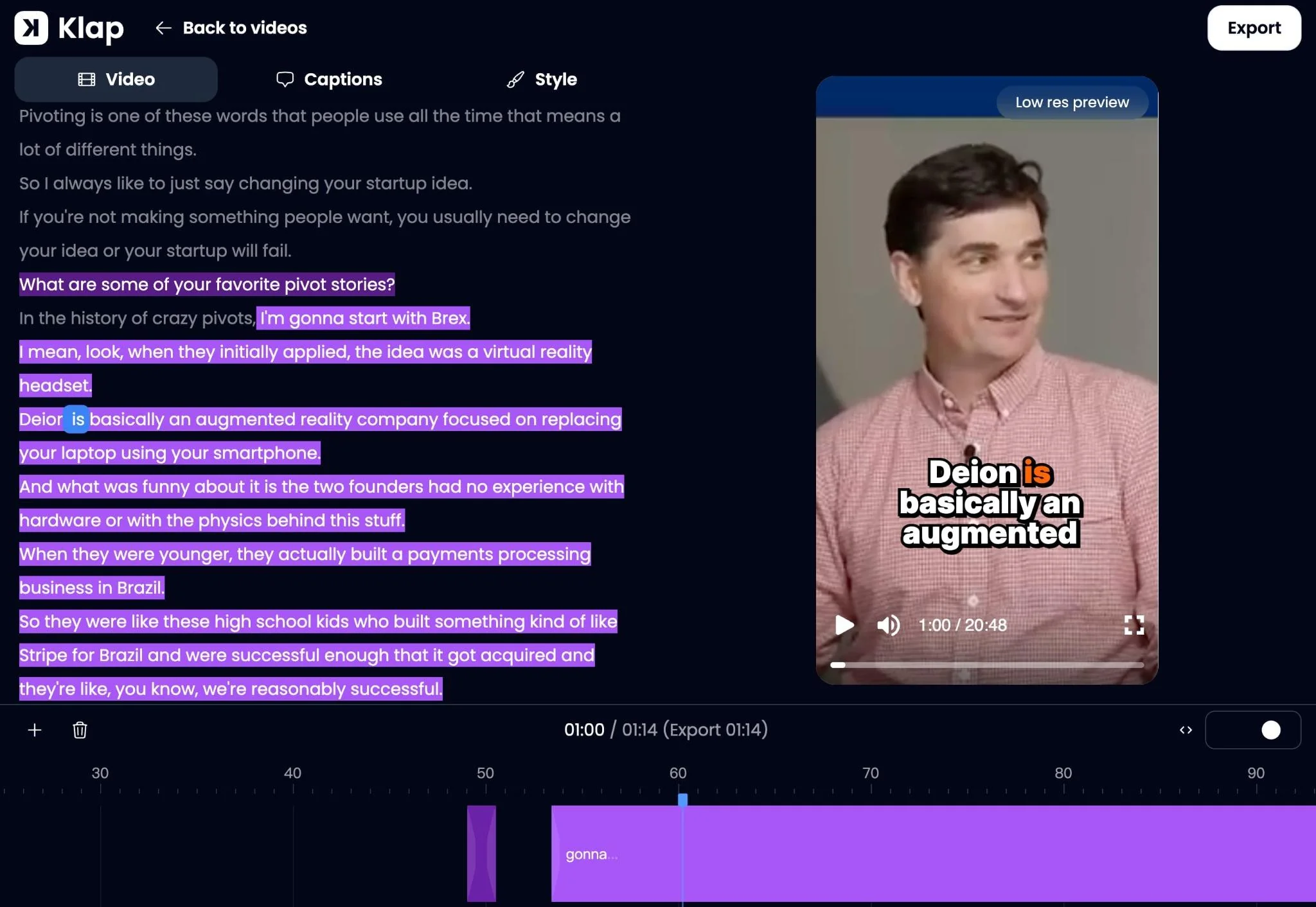
A horizontal interview does not automatically fit a 9:16 phone screen. Klap’s AI Reframe 2 analyzes scenes and selects layouts for situations such as multi-person discussions, screencasts or gaming footage. This can help keep the main subject visible, but the crop still needs checking whenever someone moves or important on-screen text sits near the edges.
Subtitles and visual consistency
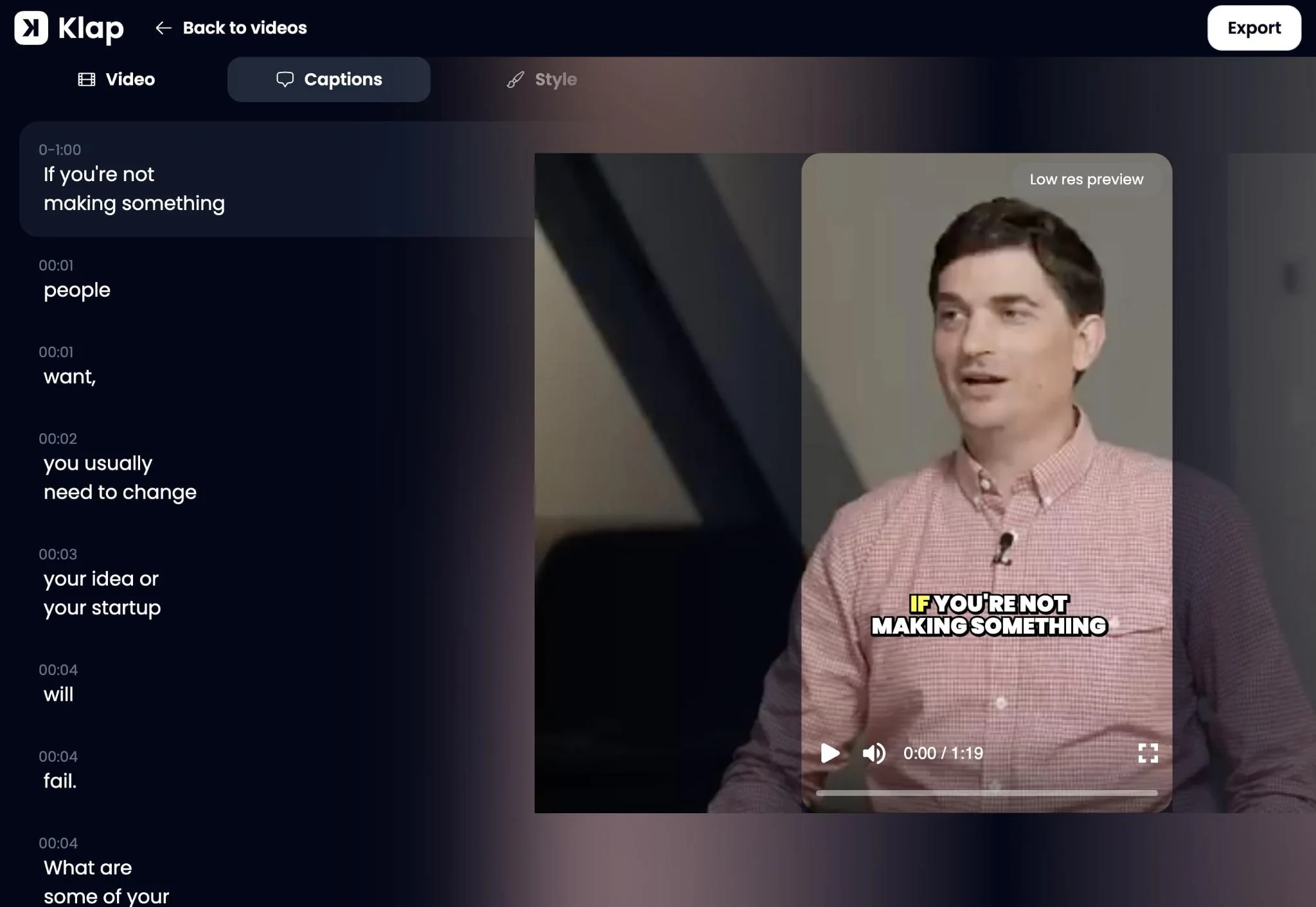
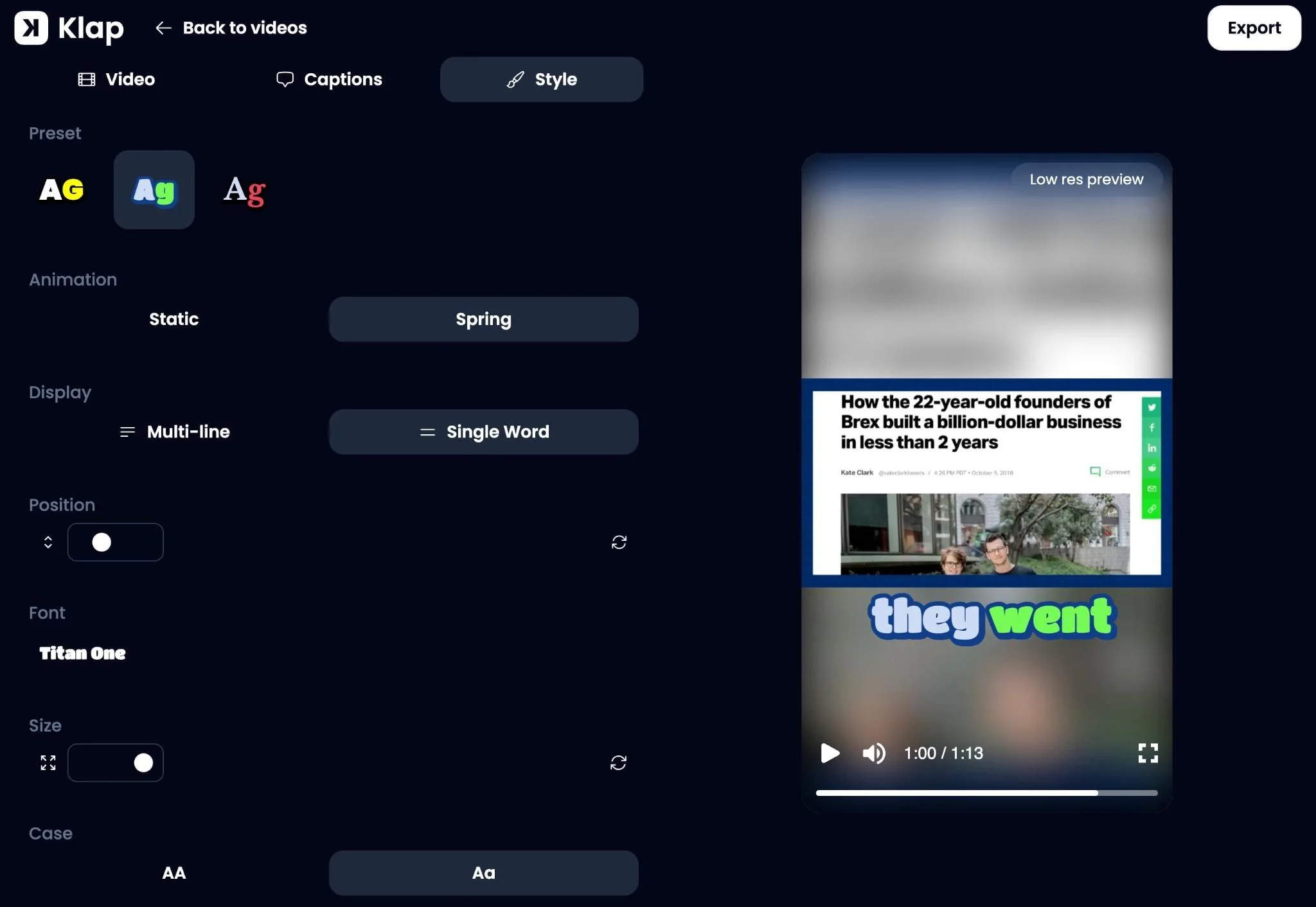
The platform can generate subtitles and provides tools to change fonts, color and positioning. Klap lists support for transcription and editing in 52 languages. That range is useful for multilingual creators, although it should not be mistaken for a promise of perfect transcription. Proper nouns, numbers and fast exchanges still deserve a manual check.
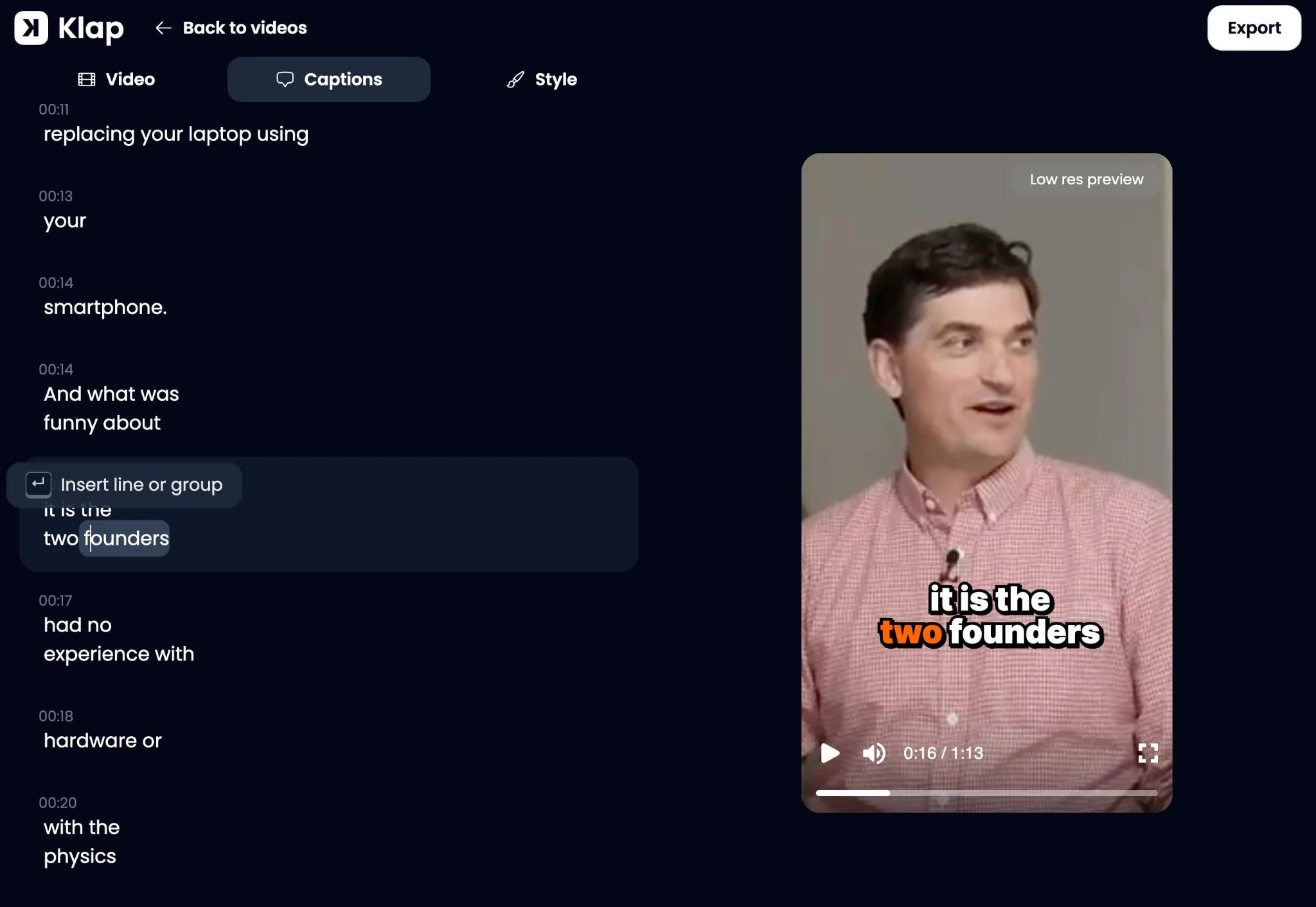
Saved visual styles can also reduce repeated design work. For a series of short lessons, using the same caption placement and font makes the clips look like they belong together. It is a production convenience rather than a substitute for good source material.
Publishing and analytics
Klap includes options to connect social accounts, schedule posts and view analytics. These tools matter most to people who publish regularly. For an occasional short clip, exporting the file and publishing it manually may be all that is needed.
What types of videos suit Klap best?
Speech-led content is the clearest fit, because the tool can use spoken topics to identify sections that might stand independently. Here are common examples and the type of editorial check each needs.
| Source video | Possible short clip | What to review |
|---|---|---|
| Podcast or interview | A useful answer or disagreement | Whether the quotation keeps its context |
| Tutorial or course | One complete technique or explanation | Whether earlier steps are required |
| Webinar | A concise insight or practical tip | Whether slides or figures are necessary |
| Product review | A feature explanation or limitation | Whether the claim is still accurate |
| Gaming or visual montage | A selected highlight | Whether the visual action makes sense without speech |
Consider a 40-minute interview about running a small business. It may contain a short explanation of cash-flow problems, a story about hiring, and a practical answer about customer retention. Those could become three distinct videos. But if a speaker says “that approach never works,” the clip should include what approach they were discussing, otherwise the meaning may change.
Where automated clipping still falls short
Automation handles repetitive editing tasks more easily than editorial judgment. Klap can suggest what looks interesting, but it cannot know exactly what your audience already understands or whether a shortened statement gives a fair impression.
- Context: a punchy excerpt can lose its meaning when separated from a longer answer.
- Caption accuracy: names, unfamiliar terms and figures may be transcribed incorrectly.
- Visual framing: speaker tracking may still need adjustment when subjects move or a slide contains essential detail.
- Storytelling control: music-led edits, precise timing and complex transitions are usually better handled in a full video editor.
A practical check is to watch a proposed clip without looking at the original recording. If a new viewer would misunderstand who is speaking, what they mean or why the point matters, the clip needs editing.
Klap AI pricing in November 2026
Klap lists three paid plans with different monthly clip allowances. The table below uses prices displayed by Klap in November 2026; the lower rates require annual billing. For the latest rates and billing options, check the official Klap pricing page.
| Plan | Billed yearly (monthly equivalent) | Month-to-month | Clip allowance |
|---|---|---|---|
| Basic | $14/month | $29/month | 100 clips/month |
| Pro | $39/month | $79/month | 300 clips/month |
| Pro+ | $94/month | $189/month | 1,000 clips/month |
Klap advertises a one-video trial without a credit card, allowing users to preview and edit results. Exports require a paid plan. Check the official pricing page before subscribing, particularly if annual billing matters to you.
Clip volume alone should not determine the plan. Someone publishing four well-reviewed shorts per week may need far fewer credits than someone generating dozens of options to find a handful worth using.
Klap or a traditional editor: which makes more sense?
Klap is more useful when the starting point is a long recording and the goal is to find shorter, self-contained segments. Traditional editing software gives greater control over detailed transitions, audio repair, layered graphics and exact pacing. Neither approach is automatically better.
For a weekly interview series, an AI clipping tool can handle the first pass while a person approves the final cuts. For a cinematic travel video, a complex ad or an edit synchronized closely to music, a conventional editing timeline will usually be more appropriate. Many creators may use both: automated selection first, then additional editing only on the clips that need it. Our beginner guide explains the wider video editing process.
How to assess the results before paying
Testing one of your own recordings tells you more than promotional examples do. Choose a video that represents your normal work, then compare the generated material against these questions:
- Did the tool find moments you would genuinely publish?
- Can each clip stand alone without misleading the viewer?
- How much time is needed to correct captions and framing?
- Do the final exports fit the platforms and formats you actually use?
If nearly every clip needs rebuilding, the editing time saved may be small. If several clips require only minor corrections, the tool is more likely to earn a place in a recurring workflow.
Frequently asked questions
Does Klap create videos from text?
No. Klap primarily works with existing video footage. It extracts shorter segments, adds captions and adjusts the presentation rather than creating a completely new scene from a text prompt.
Can Klap make YouTube Shorts from a longer video?
Yes. Users can provide supported video files or links and generate clips intended for short-form platforms. They should still check the framing, timing and captions before export.
Is Klap free?
Klap advertises a one-video trial. It allows users to preview and edit generated material, but exporting clips requires payment.
Does Klap support Urdu and Hindi?
Yes. Both Urdu and Hindi appear on Klap’s published list of supported transcription and editing languages. Recording quality and speech clarity can still affect the result.
Can Klap replace a human video editor?
It can reduce routine work such as selecting moments, generating captions and changing aspect ratios. It does not eliminate the need for editorial review or detailed editing when a project requires tighter creative control.
Final perspective
Klap addresses a specific production problem: making existing recordings easier to reuse as short videos. Its clipping, captions and reframing tools are most relevant when a creator already has steady long-form footage and needs a quicker first edit. They are less valuable when each video depends on detailed visual storytelling.
The sensible measure is not how many clips the software produces. It is how many accurate, worthwhile clips can be published after a reasonable amount of review. That is the comparison to make against a manual editing workflow.