
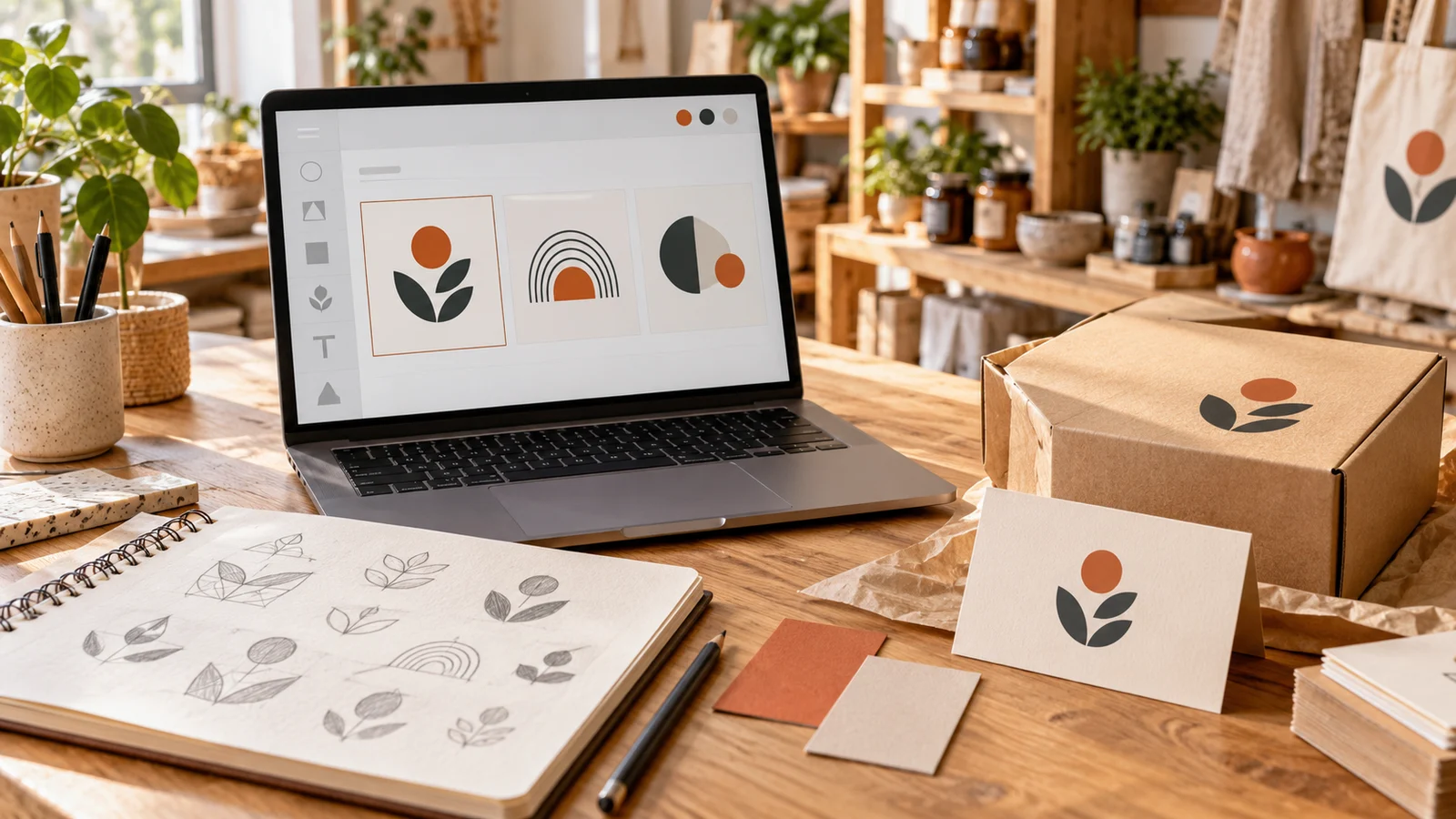
You can create a business logo in five minutes. Creating one you still like five years later is harder. That is the real challenge with online logo makers. Almost every platform can produce something colorful with your company name underneath it. Far fewer help you create a logo that remains readable on a website header, works on a business card, scales onto a storefront sign, and gives you the files and usage rights you need later.
For most small businesses, Canva is the best all-around choice because it combines a simple logo editor with the design tools you are likely to need after the logo is finished.
If you want AI to generate most of the initial concepts, Looka is one of the stronger alternatives. Adobe Express is particularly useful if you expect to create a lot of marketing content, while Shopify Logo Maker is an excellent starting point when your budget is zero.
The right option depends on how much design control, brand support, file flexibility, and exclusivity your business needs. Here are five online logo makers worth considering in 2026.
How We Chose the Best Online Logo Makers
We did not rank these tools simply by how many templates they advertise.
For a small business, a logo maker needs to perform well in several areas.
Design quality
Generated logos should look deliberate rather than like an icon dropped beside a company name.
Ease of use
Most small-business owners are not graphic designers.
A strong tool should let a beginner change fonts, colors, spacing, icons, and layout without needing professional design software.
Business-ready files
High-resolution PNG files are useful, but vector files such as SVG, EPS, or PDF are even more valuable.
Vector graphics can scale to very large sizes without becoming blurry.
Commercial rights
A business needs permission to use its logo commercially.
That still does not necessarily mean the artwork is exclusive or automatically trademarkable, so licensing terms matter.
Brand tools
A logo becomes more useful when the same colors, fonts, and visual style can flow naturally into social posts, invoices, business cards, presentations, packaging, and websites.
5 Best Online Logo Makers at a Glance
| Logo maker | Best for | Starting approach | Major advantage |
|---|---|---|---|
| Canva | Best overall | Free + paid plans | Logo plus complete marketing-design ecosystem |
| Looka | AI logo + brand kit | Free to design; paid downloads | AI generation and 300+ branded assets |
| Adobe Express | Marketing content | Free + Premium | Strong editor, Adobe assets and brand tools |
| Shopify Logo Maker | Free logo creation | Free | Fast, beginner-friendly business logos |
| DesignEvo | One-time purchase | Free/basic + one-time packages | Straightforward pricing and vector option |
Pricing and package details can change. Always check current export rights and plan terms before purchasing.
1. Canva
Canva earns the top position because most small businesses need more than a logo. They need Instagram posts, menus, flyers, presentations, business cards, banners, advertisements, proposals, and dozens of other pieces of visual content.
Canva puts all of those jobs inside the same relatively simple editor. Its logo maker provides customizable templates, typography controls, icons, illustrations, uploads, and drag-and-drop editing. Canva currently offers a Free plan, while Canva Pro is listed at $144 per year for one user in the U.S. Pro expands access to premium templates, assets, AI tools, storage, and multiple Brand Kits.
Why Canva stands out
The biggest advantage is continuity.
Once your logo is ready, you can reuse the same colors, fonts, and visual assets throughout the rest of your marketing rather than rebuilding everything in another program.
That can be more useful to a small business than having a dedicated logo tool with slightly better automatic generation.
Best for
Small businesses, freelancers, creators, restaurants, local businesses, ecommerce brands, and teams that regularly make their own marketing materials.
The important limitation
Be particularly careful if trademark protection matters.
Canva says logos made using its customizable logo templates cannot simply be treated as exclusive trademarkable artwork because those templates and many stock elements may also be used by other customers.
Canva recommends creating the logo from scratch with appropriate basic elements or uploading original artwork if exclusivity is important.
Bottom line: Canva is excellent for practical everyday branding, but do not confuse a customizable template with a completely exclusive brand identity.
2. Looka
Looka is a better choice if you do not want to design your logo from a blank canvas. Its AI-driven workflow generates logo concepts based on your company, preferred styles, symbols, and colors. You can then adjust those concepts rather than building everything manually.
Where Looka becomes particularly useful is after the logo is selected.
Its Brand Kit can automatically create more than 300 branded templates covering assets such as social posts, business cards, email signatures, invoices, flyers, proposals, newsletters, presentations, and letterheads.
Logo files and pricing
You can design and preview logos for free.
Looka currently lists a Basic logo-only package at $20 and a Premium package at $65. The Premium package includes high-resolution PNG, SVG, EPS, and PDF files plus different color and transparent-background versions.
Its Brand Kit subscription currently costs $96 per year, while a Brand Kit plus website subscription costs $129 per year.
Why Looka stands out
Looka is particularly good at taking someone from:
“I have a business name but no idea what my brand should look like”
to:
“I have a logo, colors, fonts, social graphics, invoices, and business-card designs.”
That makes it especially useful for first-time founders.
Best for
New businesses that want AI-generated concepts and a ready-made visual identity without learning design software.
The important limitation
Looka says purchasers have ownership of the complete logo for commercial and noncommercial use, but individual icons and fonts may come from shared databases and are not necessarily exclusive to you. If trademark exclusivity is critical, investigate the specific elements before registering the mark.
3. Adobe Express
Adobe Express sits in a similar category to Canva. It is not merely an automatic logo generator. It is a broader creative platform that small businesses can continue using after the logo is finished.
Its logo tools include templates, editing, stock assets, uploads, and generative AI capabilities. Adobe Express is available free, while its Premium offering provides additional templates, Adobe Stock assets, fonts, storage, resizing, and Brand Kits.
Why Adobe Express stands out
Adobe's biggest advantage is its wider creative ecosystem.
Businesses that eventually work with Photoshop, Illustrator, or other Adobe products have a natural path for moving assets between tools and collaborating with designers.
Its Brand Kits can store logos, fonts, colors, imagery, templates, and other visual assets in one place.
Best for
Small businesses that create substantial marketing content or already use Adobe products.
The important limitation
The dedicated automatic logo-generation experience is simple, which is good for beginners but can produce fairly conventional starting points.
Adobe Express becomes much more valuable when you use the full editor rather than accepting the first generated result.
4. Shopify Logo Maker
Shopify Logo Maker is one of the easiest recommendations for a business with virtually no logo budget.
Shopify describes the tool as free, browser-based, and suitable for people without graphic-design experience. Users can customize elements such as business name, slogan, fonts, colors, symbols, and layout.
You do not have to operate a Shopify store simply to use the logo maker.
Why Shopify Logo Maker stands out
There is very little friction.
You provide some basic information, review possible designs, make straightforward adjustments, and download the result.
That is ideal for someone who needs to launch a side business, test a product idea, open an ecommerce store, or create basic branding without spending money first.
Shopify's current guide also notes that downloaded logo packages can include variations suitable for websites, social media, merchandise, and other uses.
Best for
Bootstrapped startups, ecommerce sellers, side businesses, and founders who need a decent-looking logo immediately.
The important limitation
The editing system is deliberately simpler than Canva, Adobe Express, or a professional vector editor. Shopify also notes that you cannot upload your own graphics or existing assets into the Logo Maker. That makes it excellent for speed but less suitable for businesses with a very specific creative concept.
5. DesignEvo
DesignEvo is a good fit for businesses that dislike subscriptions. Its current Basic package costs $24.99 as a one-time purchase and provides high-resolution JPG and PNG files. The Plus package currently costs $49.99 and adds vector PDF and SVG files, downloadable fonts, and additional rights. You can continue editing and re-downloading the purchased logo.
Why DesignEvo stands out
The pricing model is simple. You can design the logo, purchase the package you need, and avoid paying every month just to retain access. That can be attractive for a local business that wants a straightforward logo rather than an ongoing design platform.
Best for
Small businesses wanting an inexpensive logo with a one-time payment.
The important limitation
DesignEvo explains that templates and some individual design elements may be shared between users. Its Plus package can provide copyright ownership of the customized final logo, but the company does not guarantee exclusivity of individual icons, and lightly modified template logos may not be suitable for trademark protection. Again, customization matters.
Before You Download: Which Logo Files Do You Actually Need?
This is the part many first-time business owners discover too late.
A printer asks for a vector version of the logo and all you have is a tiny JPG saved from your website.
Try to leave your logo maker with several versions.
PNG
PNG is ideal for websites, presentations, email signatures, and social media. Get a transparent-background PNG as well as a normal version. The transparent file lets you place the logo over different backgrounds without getting an unwanted white rectangle around it.
SVG
SVG is one of the most useful files you can own. It is a vector format, meaning the logo can be enlarged dramatically without becoming pixelated. A website developer, printer, sign company, or designer may ask for it.
EPS or vector PDF
These are also useful for professional printing and design workflows. You may not personally open them very often. Keep them anyway.
Black and white versions
Your normal logo may use three beautiful colors. Then someone needs to print it in one color on an invoice, stamp, uniform, or packaging label. A good logo should still work.
Horizontal and stacked versions
A square Instagram profile and a wide website header need very different proportions.
Having both horizontal and stacked versions prevents you from squeezing the same logo into every space.
Can You Trademark a Logo Made With an Online Logo Maker?
Sometimes but do not assume that downloading a logo automatically gives you exclusive trademark rights. There are three different ideas that frequently get mixed together:
Commercial use means you are allowed to use the logo for your business.
Copyright or ownership concerns rights over the artwork.
Trademark protection protects the logo as an identifier of your business or products within applicable legal categories and jurisdictions.
A platform may give you permission to use its logo commercially while still using templates, icons, or fonts that are available to other customers. Canva, Looka, Design.com, and DesignEvo all illustrate different versions of this issue in their published licensing guidance. If your logo will become a valuable long-term brand asset, check the licensing terms carefully and consider professional trademark advice before filing.
AI Logo Maker vs Template Maker vs Professional Designer
There is no universally correct approach.
Choose an AI logo maker when…
You are unsure what style you want and need the software to generate directions quickly. Looka and Design.com fit naturally here.
Choose a flexible design platform when
You want control over the logo and plan to produce marketing materials afterward. Canva and Adobe Express are stronger choices.
Choose a simple free generator when
You need to get a new business online quickly and your branding budget is almost zero. Shopify Logo Maker is ideal for this situation.
Hire a professional designer when…
The logo is strategically important enough that originality and exclusivity justify the extra expense. That may include:
- funded startups
- luxury brands
- major consumer products
- restaurants building franchises
- companies expecting significant trademark protection
- businesses where visual differentiation is central to competition
Logo makers solve a different problem from professional brand designers.
They make good-enough branding accessible.
They do not automatically replace brand strategy or original identity design.
How to Make a DIY Logo Look More Professional
Whichever tool you choose, several simple decisions can improve the result.
Keep it simpler than you think
A logo does not need to explain your entire business.
Nike's logo does not show a shoe.
Apple's logo does not show a computer.
Aim for recognition, not a visual business plan.
Check it at a tiny size
Shrink the logo until it is roughly the size of a social-media profile icon.
If fine details disappear or the business name becomes unreadable, simplify it.
Avoid the first obvious icon
A dental practice does not necessarily need a tooth.
A real estate company does not necessarily need a house roof.
A coffee shop does not necessarily need a coffee cup.
Exploring less obvious ideas can make the identity feel more distinctive.
Test it in black and white
Color can hide structural weaknesses.
If the logo still looks clear in one color, you probably have a stronger design.
Control your fonts
Two carefully chosen typefaces are usually more professional than four decorative ones.
Typography often affects the quality of a logo more than the icon itself.
Put the logo into real situations
Before paying, preview it on:
- your website
- an Instagram profile
- a business card
- an invoice
- a storefront
- packaging
- employee clothing
A logo can look impressive in the editor and awkward in the real world.