

The honest answer is simple: if you mean the old meta keywords tag, you should use zero keywords for Google SEO. That may sound surprising if an SEO plugin, old checklist, or website audit tool is still asking you to fill in “meta keywords.” Years ago, website owners used this tag to list the search terms they wanted a page to rank for. Today, that is not how Google works. Google’s own documentation says the meta name="keywords" tag is not used by Google Search and has no effect on indexing or ranking. Google also explained years ago that the tag became easy to abuse because site owners could stuff hidden keywords into the page code where normal visitors would never see them. So the better question is not “how many keywords can I fit into a meta tag?” The better question is: which meta tag am I talking about, and where should keywords actually go? Let’s break it down clearly.
The Quick Answer
For modern SEO, use this simple rule:
- For the meta keywords tag, use zero keywords if your goal is Google ranking.
- For the title tag, use one primary keyword naturally.
- For the meta description, use one primary keyword or close variation only if it fits naturally.
- For the page content, focus on one main topic and include related terms where they genuinely help the reader.
That is the practical answer. You do not need to list 10, 20, or 50 hidden keywords in your page code. In most cases, doing that is just outdated SEO work.
What Is a Meta Tag?
A meta tag is a small piece of HTML code that sits in the <head> section of a web page. Visitors usually do not see it on the page itself, but browsers, search engines, and other tools can read it.
A simple meta description looks like this:
<meta name="description" content="Learn how many keywords to use in meta tags and what matters for modern SEO.">There are different types of meta tags. Some are useful. Some are technical. Some are outdated for SEO.
The confusion usually comes from three things:
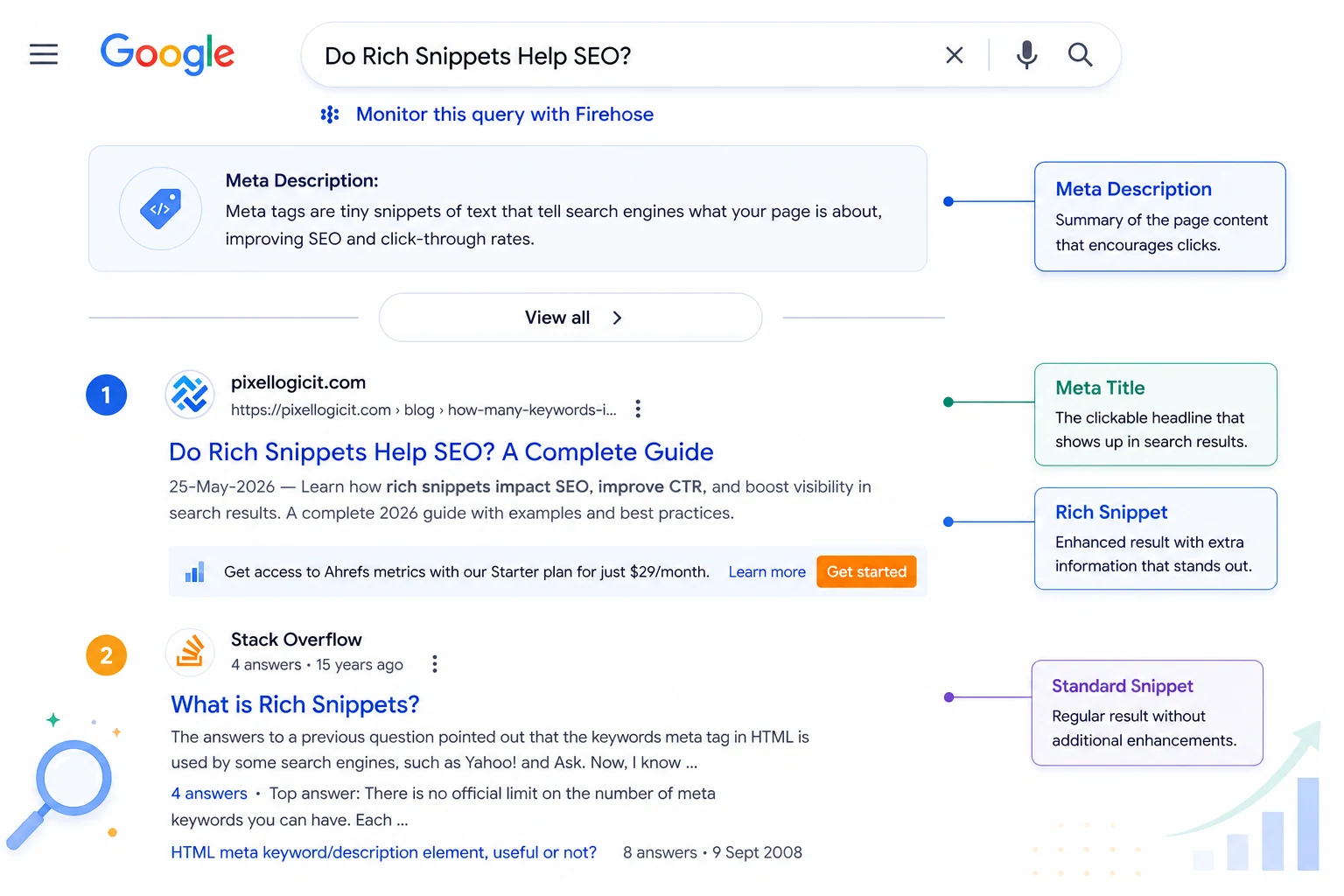
- The title tag, which appears as the clickable headline in search results.
- The meta description, which may appear as the short search result summary.
- The meta keywords tag, which is the old hidden keyword list.
People often call all of these “meta tags,” but they do not work the same way.
The Old Meta Keywords Tag: How Many Keywords Should You Use?
For Google SEO, the answer is none.
The old meta keywords tag looks like this:
<meta name="keywords" content="seo, meta tags, meta keywords, keyword optimization">In the early days of search engines, this tag helped tell search engines what a page was about. Website owners would list important keywords inside the tag, and some search engines used that information to understand the page.
But the tag became heavily abused. People started adding long lists of unrelated keywords, competitor names, misspellings, city names, and repeated search terms to try to manipulate rankings. Because of that abuse, Google stopped relying on it. Google’s official Search Central blog says Google’s web search disregards the keywords meta tag and that it has no ranking effect.
So if you are optimizing a normal website for Google, do not spend time filling out the meta keywords field.
Does That Mean All Meta Tags Are Useless?
No. This is where many beginners get confused.
The meta keywords tag is not useful for Google rankings, but other meta tags still matter.
Google’s documentation lists supported meta tags such as the meta description and robots directives. The meta description can sometimes be used as the snippet shown in search results, while robots tags can control crawling and indexing behavior.
So the lesson is not “ignore all meta tags.”
The lesson is: do not confuse useful meta tags with the outdated meta keywords tag.
Your title tag, meta description, robots tag, canonical tag, and structured page content are much more important than a hidden keyword list.
Should You Remove the Meta Keywords Tag?
In most cases, yes, you can remove it or leave it blank.
If your site is focused on Google SEO, the meta keywords tag is not helping you. It can also reveal your target keywords to competitors who check your source code.
There are a few exceptions. Some old CMS platforms, internal site search tools, or custom systems may still use a keyword field for internal organization. In that case, you do not need to panic. Just keep it short, clean, and relevant.
A safe rule is:
- Use 0 keywords if the field is optional.
- Use 3 to 5 highly relevant terms only if your system requires it.
- Avoid long lists, repeated terms, competitor names, and unrelated keywords.
For example, this is not useful:
<meta name="keywords" content="seo, seo tips, best seo, seo company, seo agency, seo services, seo expert, seo consultant, seo ranking, google ranking, cheap seo, fast seo">This is cleaner if a system absolutely requires the field:
<meta name="keywords" content="meta tags, meta keywords, on-page SEO">But again, for Google SEO, the best option is usually to skip the tag entirely.
How Many Keywords Should Be in a Title Tag?
For the title tag, use one primary keyword.
The title tag is not the same as the old meta keywords tag. It is the page title that can appear in search results and browser tabs. It helps both search engines and users understand the page topic.
A good title tag should be clear, specific, and readable. Important keywords can appear early, but the title should still sound natural for visitors and avoid keyword stuffing.
For example:
Good title:
<title>How Many Keywords Should You Put in a Meta Tag?</title>Bad title:
<title>Meta Tag Keywords, Meta Keywords SEO, How Many Keywords Meta Tag, SEO Keywords Meta Tag</title>The bad version looks forced. It repeats the same idea in different ways. That does not help the reader, and it makes the page look spammy.
A title tag should not be a keyword storage box. It should be a clear label for the page.
How Many Keywords Should Be in a Meta Description?
For the meta description, use one keyword or close variation, but only if it sounds natural.
The meta description does not work like a direct ranking button. Google may use the description for snippets, but the description itself is not something you should treat as a ranking shortcut. Still, a good meta description can help people understand your page and decide whether to click. Enhanced listings work differently, so it also helps to understand how rich snippets affect SEO.
A good meta description for this article could be:
<meta name="description" content="Learn how many keywords to use in meta tags, why meta keywords no longer matter for Google, and where keywords should actually go.">This works because it includes the topic naturally. It tells the reader what they will learn. It does not repeat the keyword awkwardly.
A poor version would be:
<meta name="description" content="How many keywords in a meta tag? Learn how many keywords in a meta tag and how many meta keywords in meta tag for meta keyword SEO.">That sounds robotic. It is written for a search engine, not for a person.
What Keyword Stuffing Looks Like in Meta Tags
Keyword stuffing means adding too many keywords in an unnatural way to try to manipulate search rankings. In meta tags, keyword stuffing often looks like this:
<title>Best Dentist Dallas | Dallas Dentist | Dentist Near Me | Cheap Dentist Dallas | Dental Clinic Dallas</title>Or like this:
<meta name="description" content="Dallas dentist, best Dallas dentist, cheap Dallas dentist, emergency Dallas dentist, family Dallas dentist, cosmetic Dallas dentist.">This kind of writing does not build trust. It also does not give the user a clear reason to click.
A better version would be:
<title>Family Dentist in Dallas for Preventive and Cosmetic Care</title>And the meta description:
<meta name="description" content="Looking for a family dentist in Dallas? Learn about preventive care, cosmetic treatments, and what to expect before booking a visit.">This version is clearer, more human, and more useful.
A Simple Rule for Modern Keyword Targeting
Instead of asking how many keywords to put inside a hidden tag, use this modern SEO rule:
- Choose one main keyword for the page.
- Add a few related terms only where they naturally support the topic.
- Write the page so it fully answers the search intent.
Here is what that looks like for this article:
Primary keyword:
how many keywords in a meta tag
Supporting terms:
- meta keywords tag
- meta description keywords
- title tag keywords
- does Google use meta keywords
- keyword stuffing
- on-page SEO
These terms do not need to be forced into every paragraph. They should appear where they help explain the topic.
Practical Examples
Example 1: Blog Post
Topic: how many keywords in a meta tag
Good title tag:
<title>How Many Keywords Should You Put in a Meta Tag?</title>Good meta description:
<meta name="description" content="Find out how many keywords to use in meta tags, why the old meta keywords tag is outdated, and what to optimize instead.">Meta keywords tag:
<!-- Omit this tag -->Why it works: the title targets the main query clearly. The description includes the topic naturally. The outdated meta keywords tag is skipped.
Example 2: Service Page
Topic: local SEO services
Good title tag:
<title>Local SEO Services for Small Businesses</title>Good meta description:
<meta name="description" content="Improve your local visibility with practical SEO support for Google Business Profile, service pages, and local search content.">Bad meta keywords tag:
<meta name="keywords" content="local SEO, local SEO services, SEO company, SEO agency, SEO expert, SEO consultant, best SEO, cheap SEO">Why the bad version fails: it is just a keyword list. It does not help Google rank the page, and it adds no value for users.
Example 3: Ecommerce Category Page
Topic: running shoes for beginners
Good title tag:
<title>Running Shoes for Beginners: Comfortable Starter Picks</title>Good meta description:
<meta name="description" content="Explore beginner-friendly running shoes with comfort, support, and simple tips for choosing your first pair.">Why it works: it focuses on the shopper’s intent. It uses the keyword naturally without stuffing multiple variations into the tag.
Better Places to Use Keywords Than the Meta Keywords Tag
If you want to improve SEO, do not hide keywords in the old meta keywords tag. Use them in places that actually help users and search engines understand the page.
Better places include:
- The title tag
- The H1 heading
- The opening paragraph
- Helpful H2 and H3 headings
- Image alt text, when the image genuinely needs description
- Internal link anchor text
- Body content that answers the topic properly
- URL slug, when it makes sense
For example, if the page is about “how many keywords in a meta tag,” the topic should be clear in the title, opening paragraph, headings, examples, and explanation. You do not need a hidden keyword list.
What If an SEO Plugin Still Shows a Meta Keywords Field?
Some tools still show old SEO fields because they support many types of websites, older systems, or custom setups. That does not mean every field matters for Google.
If your plugin asks for a “focus keyword,” that is usually different from the old meta keywords tag. A focus keyword is often just an internal writing guide. The plugin uses it to check whether your title, headings, and content are focused. It does not send Google a secret instruction to rank your page.
So do not confuse these two things:
- Focus keyword in an SEO plugin: useful for content guidance
- Meta keywords tag in HTML: not useful for Google rankings
Can Too Many Keywords in Meta Tags Hurt SEO?
Too many keywords in the old meta keywords tag usually will not help you. It may also make your page look spammy, especially if the keywords are unrelated, repeated, or manipulative.
The bigger problem is that keyword stuffing often spreads beyond the tag. If someone stuffs the meta keywords tag, they may also stuff the title, description, headings, footer, image alt text, and body copy. That is where the page can become genuinely low-quality.
The safest approach is simple: write clear metadata for humans and write useful page content that actually satisfies the search.
FAQs
Are meta keywords still used by Google?
No. Google says the meta name="keywords" tag is not used by Google Search and has no effect on indexing or ranking.
How many meta keywords should I use?
For Google SEO, use zero. If a CMS or internal search tool requires the field, use only a few highly relevant terms and avoid repetition.
Is the meta description a ranking factor?
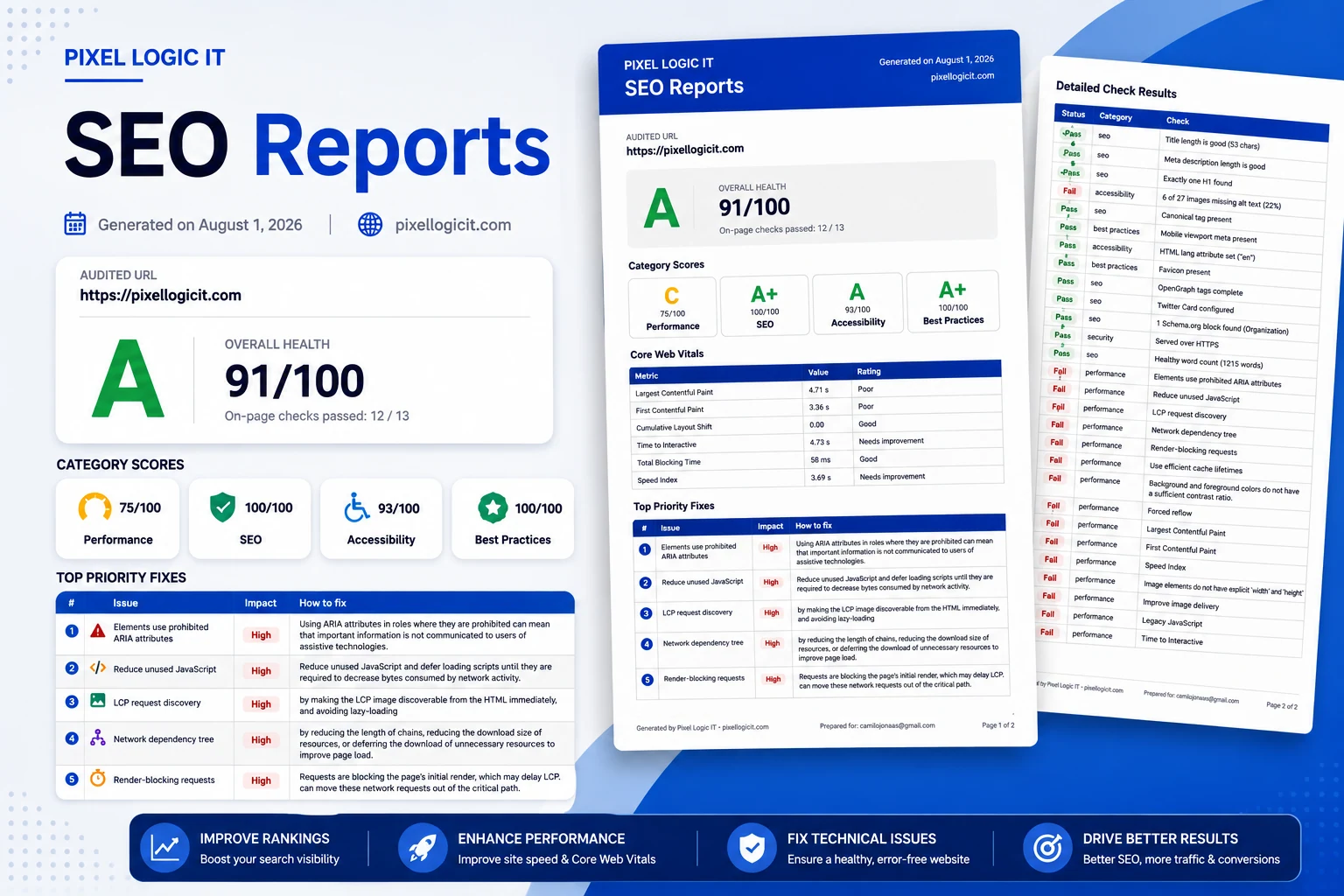
Google may use the meta description for snippets, but you should not treat it as a direct ranking shortcut. A strong meta description can still help clicks because it tells users what the page is about. A properly structured SEO report can then show whether impressions, clicks, and CTR changed after an update.
How many keywords should I use in a title tag?
Use one primary keyword. You can include one close modifier if it reads naturally, but do not turn the title into a keyword list.
Should every page have unique meta tags?
Yes. Every important page should have a unique title tag and a useful meta description that accurately matches the page content. Duplicate or vague metadata makes it harder for users to understand why they should click.
What This Really Means for Your SEO
You do not need to count hidden keywords in a meta keywords tag anymore.
For Google SEO, the answer is clear: use zero keywords in the old meta keywords tag. Put your energy into the parts that users actually see and search engines can understand: a clear title, a helpful meta description, strong headings, useful content, and natural internal links.
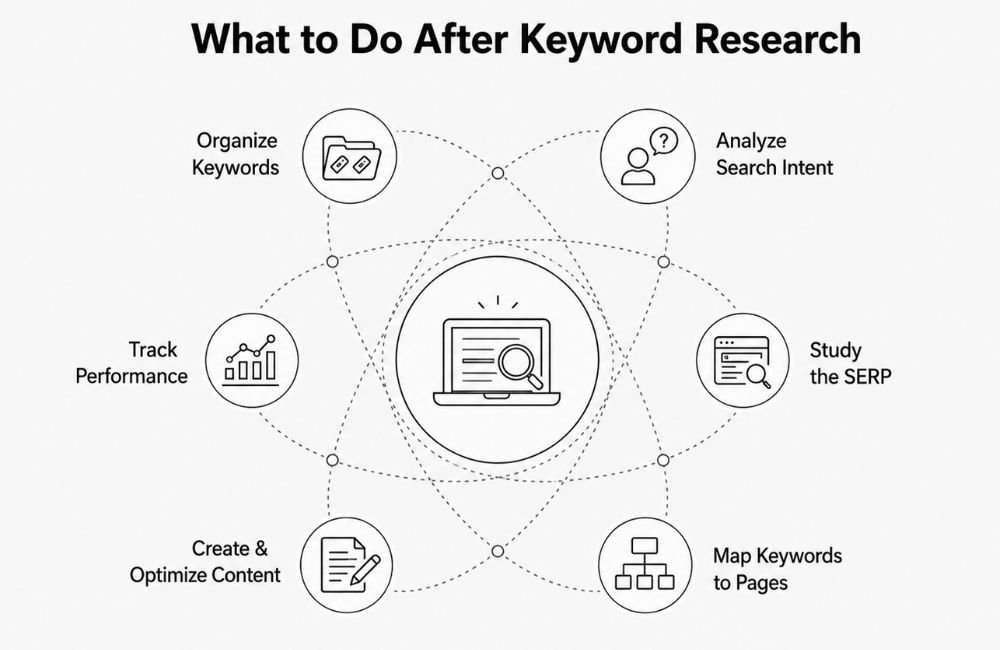
If you are still figuring out how to use your keywords effectively on pages, it helps to understand keyword research so your keyword strategy translates into real SEO results.
The best SEO pages are not built by stuffing keywords into hidden code. They are built by making the topic clear, answering the reader properly, and using keywords only where they make the page easier to understand.
If you are looking for professional support to implement these strategies correctly, PixelLogicIT offers data-driven SEO and digital marketing services that turn technical improvements into real business results.